 Softickets
Make the experience happen.
Softickets Pro is the operating app for organisers: create, sell, scan, manage and understand your events from one place.
For people who create experiences.
Event organisers, promoters, venues and entertainment businesses who want one app to run ticketing and entry. Access is by registration and onboarding.
Create. Sell. Manage. Operate. Grow.
Events
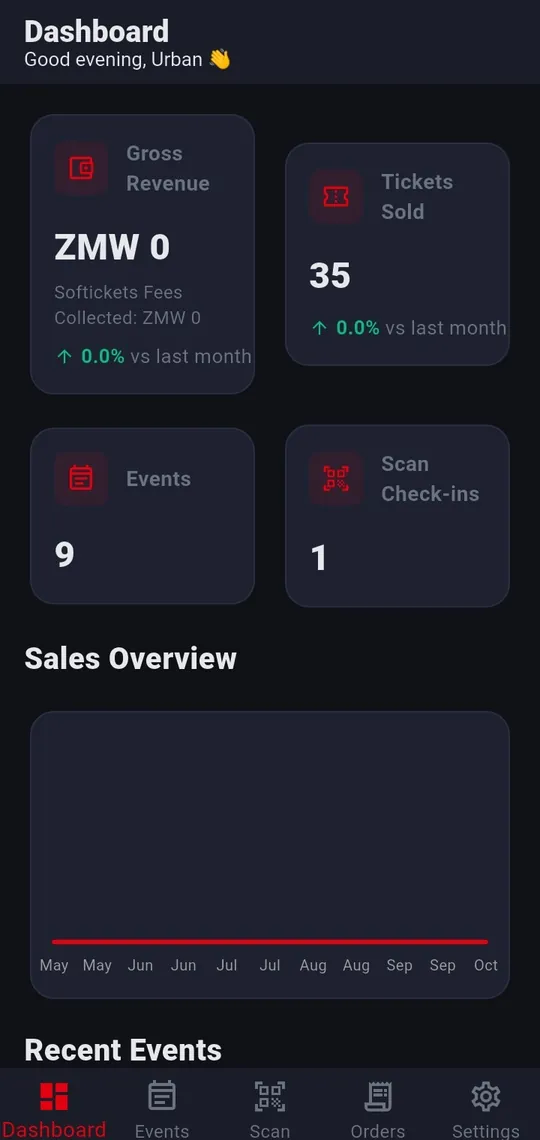
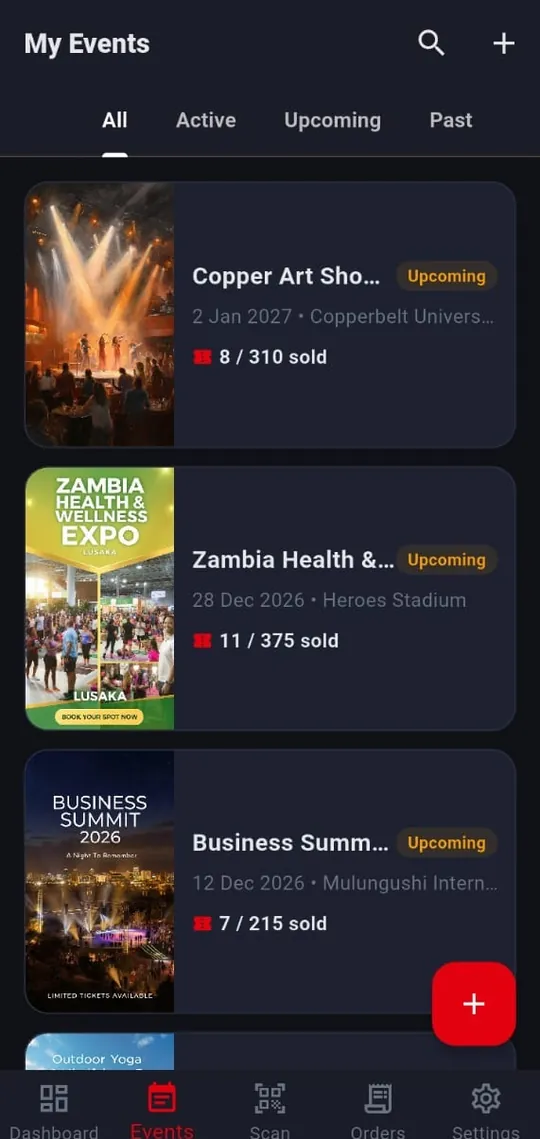
Create events, then track them under All, Active, Upcoming and Past with tickets sold against capacity. The dashboard shows revenue, tickets sold, events and scan check-ins.
Ticket types & inventory
Choose Free or Paid when you create an event. Free events have one free ticket and no fees; paid events can have several ticket tiers, each with its own inventory.
Orders
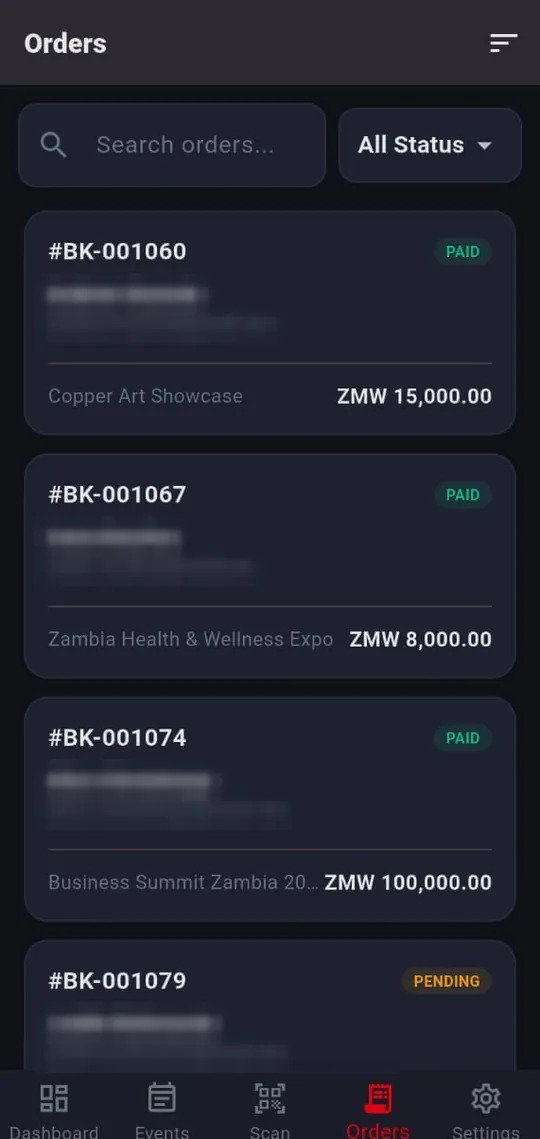
Search and review bookings with customer details, event and payment status.
Scan & entry
Scan ticket QR codes with the camera, or type the ticket number when a ticket is printed, blurred or cracked. Get clear results such as “Already scanned” or “Cancelled or refunded”, download the ticket list for offline mode and let scans sync when you reconnect. Camera permission required.
Team & partners
Add door managers with their own logins and choose which events each can scan or view. Share an event’s performance with sponsors, co-promoters or venue partners. Give each person only the access they need.
Public, Unlisted & Private
Choose who can find your event. Public: searchable everywhere. Unlisted: link only, and you approve each access request. Private: link plus an access code, either one reusable code for everyone or one-time codes you paste in, one per line (staff, student or invoice numbers, for example).
Event poster & Discover video
Add a poster and an optional short video for Discover. The app tells you the limits on video length and file size before you upload.
Analytics
Track gross revenue, tickets sold and a sales overview chart by period, plus how guests were checked in and how each door manager performed.
Payouts
Add payout details and request payouts. Standard payout window: 7 Business Days after the event ends (14 for new organisers and certain events), subject to verification and holds.
“In the app” means the capability is evidenced in the current Softickets Pro build (1.0.3). It does not guarantee sales, audience growth or payout timing.
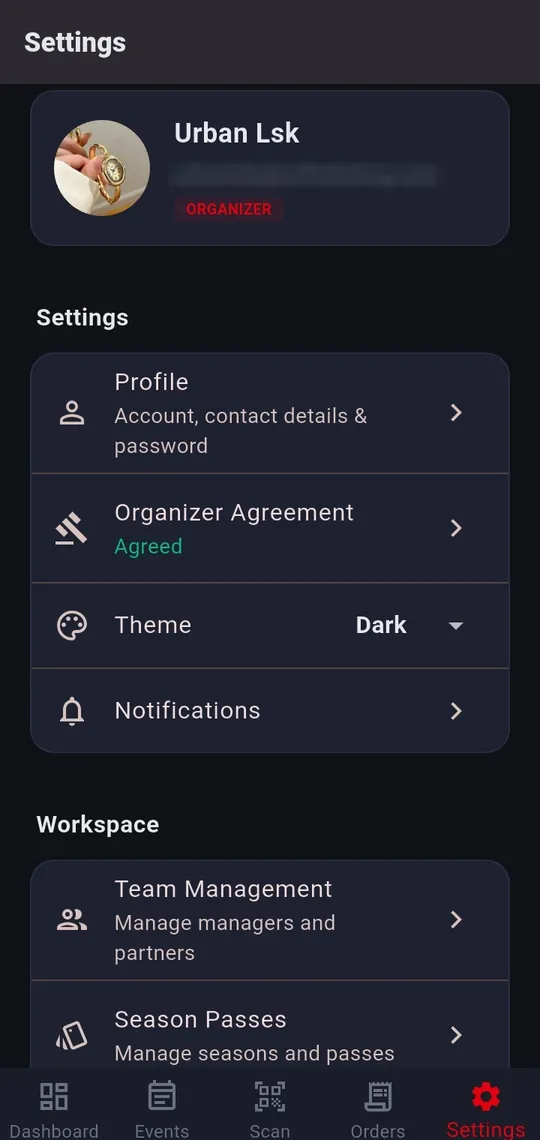
Dashboard · Events · Scan · Orders · Settings
From first contact to your first event.
- Create your accountSign up as an organiser in the Softickets Pro app.
- VerifyIdentity, business and payout account.
- AgreeAccept the Event Organiser Agreement.
- ConfigureFree or paid, tickets, access and event details.
- Pass checksMeet publishing requirements.
- PublishGo live once authorised.
- OperateManage orders and scan entry.
No event goes live until your identity, business and payout account are verified and approved. Commercial terms are in the Event Organiser Agreement.
FAQs
How do private events work?
Private and Unlisted events are not found by searching. Open the organiser’s shared link and enter the access code you were given. Unlisted events work the same way, except you send a request and the organiser decides.
How can I become an organiser?
Create an organiser account in the Softickets Pro app (contact us through the Softickets Pro page to get the app). Publishing needs your public contact details, payout details and acceptance of the Event Organiser Agreement. No event goes live until your identity, business and payout account are verified and approved.
How does ticket scanning work?
Softickets Pro uses the phone camera to scan ticket QR codes and flags tickets that were already scanned, cancelled or refunded. If a ticket is printed, blurred or cracked, type the ticket number instead. Download the ticket list for offline mode and scans sync when the device reconnects. Camera permission is required for camera scanning.
Can I add my team?
Yes. Softickets Pro lets you add managers and partners under Team Management. Give each person the narrowest access they need; a scanner should never see financial data.
How and when do I get paid?
Organisers add payout details in Softickets Pro. Under the standard Event Organiser Agreement, payouts are released 7 Business Days after the event ends (14 Business Days for new organisers and certain higher-risk events), once verification is complete and no hold applies. See the Event Organiser Agreement.
Bring your events to Softickets Pro.
Softickets Pro is not on a public app store yet. Message us for the app, create your organiser account in it, and we will take you through verification and onboarding.